Milan Aryal's Latest Posts

Tuesday, September 9, 2014

Syntax Highlighting With Prism

Syntax Highlighting With Prism

UPDATED VERSION: Syntax highlighting with prism.js


Last time I was searching for a good syntax highlighter for beautifully viewing the code snippets on my blog post. Among different syntax highlighter I found out Prism by Lea Verou is pretty awesome.

Yet not sure what I mean by a syntax highlighter or what it does? Here’s an example of JavaScript snippet highlighted with Prism:

<script language="javascript">
  var today= new Date()
</script>
      ....
<body onload=alert(today)>

Prism is a light weight and works on most of all the platform whether it is your own hosted site or any other popular CMS platform like WordPress, Blogger or Tumblr.

Installing on your page

To install Prism on your webpage you need to download the files prism.js and prism.css choosing your desire theme and required settings.

Here, JavaScript file prism.js is your settings and CSS file prism.css is your theme styles.

Now, upload the two files in your hosting site.

Then, you will need to link the prism.css and prism.js files in your index page. Example:

<!DOCTYPE html>
<html>
<head>
 ...
    <link href="themes/prism.css" rel="stylesheet" />
</head>
<body>
 ...
    <!-- after all your content -->
    <script src="prism.js"></script>
</body>
</html>

Remember that to correctly work, prism.css file should be include before the </head> tag and prism.js before </body> tag.

Installing on WordPress

Easily highlight your code on WordPress with WP PrismJS. Simply download & activate the plugin and a new icon on your TinyMCE editor will appear. Click on it and you will be able to enter your indented code; choose the language; specifying the maximum height of the code window and the filename.

Installing on Blogger/Tumblr

To install Prism on your Blogger/Tumblr blog you need to upload prism.css and prism.js files in other file hosting sites like Google Drive or Dropbox because we cannot host file in the Blogger/Tumblr site. Then as same process above go to template edit and inculde prism.css file link before the </head> tag and prism.js file link before </body> tag.

Remember that hosting your file on other site like Google Drive you should set the file for public view and need to link direct link like http://googledrive.com/host/YOUR_FILE_ID/. Public viewing link and direct link may vary according to the different sites.

If you don’t like to upload the file and want to use Prism default theme then you can include the following two files link to install Prism:

<link href="http://prismjs.com/themes/prism.css" rel="stylesheet" />
<script src="http://prismjs.com/prism.js"></script>

Using Prism

First thing you have to escape HTML character < to &lt; and > to &gt; to highlight syntax with Prism. For Example:

&lt;pre&gt;
&lt;code class="language-javascript"&gt;
&lt;script&gt;
        var today= new Date()
  &lt;/script&gt;
          ....
  &lt;body onload=alert(today)&gt;
&lt;/code&gt;
&lt;/pre&gt;

You can use tools like QuickEscape tool to escape HTML character.

Then,

You have to wrap your code inside the <pre> and the <code> tag defining the necessary class="language-XXX".

For example to show HTML snippet define class="language-markup"

&lt;pre&gt;
&lt;code class="language-markup"&gt;
  <--! YOUR HTML CODE HERE -->
&lt;pre&gt;
&lt;/code&gt;

For CSS snippet define class="language-css"

&lt;pre&gt;
&lt;code class="language-css"&gt;
    /* YOUR CSS CODE HERE */
&lt;pre&gt;
&lt;/code&gt;

For JavaScript snippet define class="language-javascript"

&lt;pre&gt;
&lt;code class="language-javascript"&gt;
  // YOUR JAVASCRIPT CODE HERE
&lt;pre&gt;
&lt;/code&gt;

With Prism by help of these few easy steps you get a nice highlighted code snippet, isn’t it awesome?

Saturday, September 6, 2014

The Essential Elements of Graphic Design

The Essential Elements of Graphic Design

In the world graphic design has become one of the most important things. This is because it is very key in printing and web designing. Graphic design can be used in number of ways for  product/service promotion, such as posters, banners, newsletters, logos, brochures, flyers, business cards, office stationery such as cash sale  etc.

In order to come up with a well paying design one should consider facts and follow them. These points are related to colors, layout, texture and the size of the designing format.

Layout:

The layout is the most important part of the graphic design for it is the basis upon which all the other details are added. A good layout should be well balanced, neat  and put in a way that the reader will be able to read with ease. One is supposed to put the text in its appropriate position in order to make it nice.

Color:

One is supposed to come up with the appropriate corporate color in which it should not be very repetitive. The colors to be used are either in the background, the texts and also the objects. Things such as banner should be legible from a far since it is used to advertise, promote or talk of an event. Being placed at a strategic position it should be read with ease by all the passers by, Newsletter on the other hand should be arranged in a way that the reader will be able to read with ease. Appropriate colors should be used for different texts to make the page attractive to the reader. While on the logo should be designed in a way that they will be understood with ease and should communicate. It should not have many color for it will look bulky.

The 10 Commandments of Color Theory

Here come the 10 cardinal rules of color scheming to help you save time when choosing colors. These essentials serve as bedrock to the color-verse.

Click to Enlarge+

The 10 Commandments of Color Theory
Image: Designmantic

Texture:

Two thing one is supposed to consider in the texture is the way the text will look like and on what type of the paper the text will lie. It is in this that the designer will be able to explain to the client the texture of the design. The  texture therefore can entail background where it should be simple with the color which is upto the event. The way also the text and the background ought to look on the material should be attractive to the reader. Take for instance a banner where by the background color and the image colors should not contrast.

Size:

Size is also another thing to consider most when coming up with the design. It is where size of the entire layout is shown and also the size of the text should vary with the size of the entire layout. The size of the text differs with the entire size of the design. The font size and the size of the layout should be well balanced considering the header and bodice.

Font:

The font describes the company or corporate. Some of the companies have a specific font and font colour which should not be changed. One should be careful when selecting the font of the text or the header as well as in the logo.

The 10 Commandments of Typography

The infographic below illustrates the 10 cardinal rules that could be followed as quite the basics when it comes to selecting fonts.

Click to Enlarge+

The 10 Commandments of Typography
Image: Designmantic

Bonus: The 10 Commandments of Logo Design

This visual below offers a holistic snapshot of the basic principles of logo design with the help of applied examples to make things easy peasy to grasp!

Click to Enlarge+

The 10 Commandments of Logo Design
Image: Designmantic

Just for Fun: The Anatomy of a Graphic Designer

A humorous look at what makes a graphic designer, a graphic designer.

The Anatomy of a Graphic Designer
Image: Glantz Design

Friday, September 5, 2014

How to Use #Hashtags Efficiently on Facebook?

How to Use #Hashtags Efficiently on Facebook?

After Twitter, the social media giant Facebook has adopted Hashtags. Most people, especially business owners, are particularly excited as well as confused about the proper usage of this new Facebook feature. You too can easily get carried away, and #start #overusing #or #misusing #hashtags. So to make sure that you do not get carried away like this here is an end to end guide for the proper usage of Facebook hashtags.

What are Hashtags and how they work?

In simple words, adding hashtag before a word or phrase (without spaces) makes it clickable in your status. Consider the status, “It’s one of my #writingQuirks.” Now if you click on #writingQuirks, Facebook will show you all the posts that used the hashtag #writingQuirks and therefore you will have all the related posts to browse through. It’s worth noting that post marked as private won’t show up in the search results. You can also bookmark hashtags to keep an eye on interesting topics.

Why Should You Use Hashtags for Marketing?

There are literally billions of posts on Facebook daily. So how to you plan to get your target customer's attention when you can’t even reach them? With so much competition, even a slight change in your content strategy can give you a huge edge over others.

How can Hashtags benefit your business?

1. Get New Audience:

When you add a hashtag to your posts, you make your post visible to all users who are searching for that subject even when they aren’t directly connected to your page. Now you have a completely new audience that you can target easily. In addition they are interested in your topic as they have searched for it.

 Moreover, you can search for topics relevant to your business and provide your expert suggestions in conversations or as comments. This is easy marketing to gain more customers. Hashtags can lower the effort required to search for new audience that can be potential leads.

2. Promote Your Brand Effectively:

Creating unique hashtags for your Facebook page can help you amplify your promotion process. Face the reality no one would want to share a long post solely promoting your product.  You can break down your product information into several smaller easy to share posts marked with the same hashtag. This ensures that your information is shared in larger numbers and is still filed under a common tag.

3. Think Cross Platform:

The most fascinating feature of Facebook hashtags is that it feeds you results not only from Facebook but from Twitter, Instagram, Google+, Pinterest and LinkedIn as well. So you can market your ideas across several social media platforms, still all your posts will be linked together. So even if you post an update on Google+, you can get responses from Facebook or Twitter. Isn’t it amazing?

#HashtagTips

  • Use short hashtags #MyBlog.
  • Avoid long and complicated hashtags like #seotipsforyourbusiness.
  • Capitalize the first alphabet of every word so that it #CanBeReadEasily.
  • Make sure that you create and share Facebook URL’s of hashtags.
  • Create custom hashtags for your business and use them regularly in your posts.
  • Create new hashtag for every product or event.
  • You can use hashtags #within your sentences too.
  • Limit hashtag usage to one or two in your posts.
  • Do not use spammy hashtags, only use those which are relevant to your post.

To sum it all, hashtags, if used correctly, can be really profitable to your marketing strategy. So make use of this cross platform feature to market your brand and see the difference.

Saturday, August 30, 2014

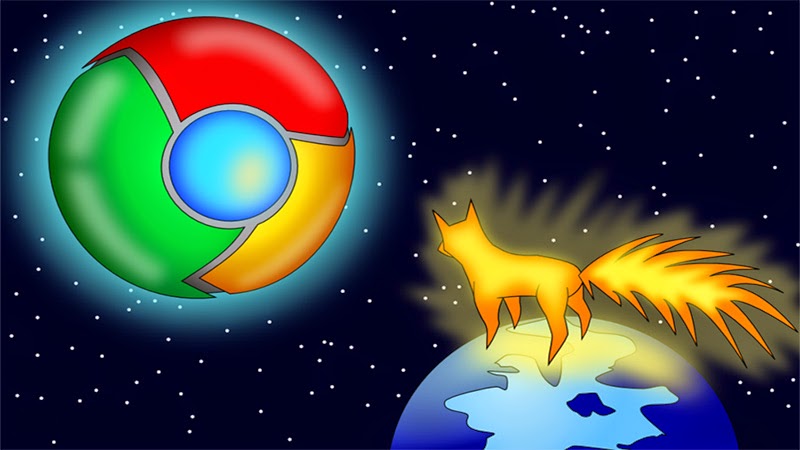
Why Firefox is Still Way Behind Google Chrome?

Why Firefox is Still Way Behind Google Chrome?

Which is better Google Chrome or Mozilla Firefox? Statistics reveal that Chrome is a much more used browser as compared to Firefox. There are many points to justify why millions prefer Chrome over Firefox.

In order to catch up with Chrome, Firefox is incorporating many changes into its browser. But most of these changes are the copy of the features that are already present in Google Chrome for long. Rather than coming up with some astonishing innovation, Mozilla Firefox has just tried incorporating the features of Chrome browser. This in a way hints that Firefox efforts are just marginally enough to be at level with Chrome browser but not of the standard to surpass the Google browser.

Following are some of the convincing points that describe why Chrome is better than Firefox.

What Firefox doesn’t have but Chrome has?

Multi-Process Architecture

Nowadays, CPUs have become very capable of doing multiple works in parallel. Chrome makes the best out of it by using its multi-process architecture. In Chrome every website runs in its own process. Background processes like apps and extensions run in the background but these also run in their own environment. In short everything in Google browser including plug-ins run in its own process. However, with Firefox it’s not like that because Firefox uses single-process architecture.

Recently, it has started running its plug-ins in a separate process but it still doesn’t have multi-process architecture. Thus if you open five tabs in Firefox then the browser has to load and render all of them one-by-one as they are not running of their own. This makes Firefox less responsive or sluggish than Chrome at times.

Chrome-Task-Manager

To match up to the Chrome Task Manager Standard, Mozilla is working on something called Electrolysis, since 2009. It is a project to make Firefox a proper multi-process browser as Mozilla stated “Electrolysis is a huge undertaking.”

However, in 2011, Electrolysis was put on hold on grounds that Mozilla is pursuing a number of smaller initiatives that are targeted to improve the responsiveness of the browser. Again in May 2013, Mozilla restarted the Electrolysis project, which is still under process with no hint on when the end product will be delivered. You will be surprised to know that even Internet Explorer (IE) introduced multi-process features with Internet Explorer 8. So Firefox is way behind of Chrome and even IE in terms of multi-process features.

Use of Security Sandbox

To run browser processes, Chrome has adopted a modern Windows feature called ‘low integrity mode.’ This feature makes the Google browser more secured because even if the browser’s vulnerability gets discovered and exploited in Chrome, the exploiter would require using some sort of additional vulnerability to break the security offered by sandbox. Only after breaking the sandbox enabled security, he will be able to gain access to the system.

Chrome is offering this security coverage to Windows since the time of Windows Vista, which was released over six years ago. But Mozilla is still working on a similar kind of feature, which it has named as ‘low rights Firefox.’

Features that Firefox has got incorporated recently but were present in Chrome for Long

Listed below are some such features of Mozilla Firefox, which seem to be have copied from Google Chrome. These features were introduced by Chrome first and then Firefox came up with similar features in its browser much later.

  • Multi-Window Private Browsing: Now, private browsing is available in Firefox and it is one of the much wished features. However, Chrome had it since its very beginning.

  • Frequent Updates: Since its very beginning, Chrome has maintained the format of launching updates. But now even Firefox has started introducing frequent release updates.

  • Extensions to Handle Browser Upgrades: Now on Firefox also, extension API has got updated that allows the extensions to get installed without restarting the browser. This feature enables the browser to function without breaking after browser-version upgrades. But Chrome has been offering this facility since long.

  • PDF Viewer: This is another feature that Firefox has gained recently long after Google browser has launched it.

  • User Interface (UI) Design: Chrome was first to switch to the minimal browser interface. Not just Firefox but all other browser have followed Google browser in this aspect.

  • Out-of-Process Plug-ins: Till date, Mozilla browser doesn’t have proper multi-process features like Chrome. It has just managed to add feature like Flash. The Mozilla browser might get crashed if it supports multi-process features.

  • JavaScript Performance: After Chrome immersed as a pioneer in JavaScript performance, all other browsers including Firefox tried improving its JavaScript performance.

Hence, if all the points are taken into consideration, then it is quite clear why Chrome is better than Firefox. Although, Mozilla is working on to enhance its browser’s features and security aspects, but right now Chrome is leading the pack in browser innovation since many years.

Thursday, August 21, 2014

Tumblr for Creatives

Tumblr for Creatives

Artists are not exactly famed for having money. Most spend their cash on supplies and multi-packs of noodles. Luxuries like new clothes, fancy mobiles and delicious ice cream have become distant, nostalgic memories. It’s not a great situation to be in but it’s been the case for years and years (unless you’re one of the lucky few with rich parents willing to finance every project you ever conceive no matter how awful). Unfortunately nowadays a website is essential for artists who want a good chance of getting their work noticed. This can be expensive and also very complicated if you have no training in web design. Luckily, in 2007, Tumblr emerged from the depths of the internet to save the day.

Tumblr is in essence a free blogging platform. There are of course plenty of these in existence already. The problem with these other platforms is that without some decent coding knowledge it is difficult to stop them looking like a blog. You need a page that actually looks like a proper website and with Tumblr you can do that with ease.

Tumblr has a collection of themes freely available that look fantastic. They’re also easily editable so you can put your own stamp on it. It’s a simple process to change fonts, pictures, menus, links and anything else. Obviously for more complicated adjustments you’ll need to have a bit more knowledge. Well, that isn’t strictly true. The Tumblr community are a generous bunch and there are plenty of tutorials and bits of codes about so you can change your site however you want.

So once you’ve got your sparkly new page all set-up you’re going to want people to see it. This is another excellent aspect of Tumblr and that is the how incredibly easy it is to share your work directly to those who will be interested. The first way is to tag everything you post properly and extensively. Say you’re uploading your latest photography series on your pet cat. Mention everything about it in the tags including cats, photography, photo, animal, pet, series etc etc. Then get more specific as in if the cat looks cute mention that in the tags.

On other blogs, this wouldn’t do much to help you. Tumblr has the option to search tags and people will do this all the time to find things they want. So if they searched “cute cat photo” your picture will pop up and then the searcher can like it or, preferably, reblog it to all their followers. Beware though, don’t tag things erroneously, people on Tumblr get very upset by this and they will let you know in a tirade of anonymous messages.

You can also search these tags yourself to search out communities of people interested in the same stuff as you. Start following people and soon enough you’ll have your own followers. Post lots of decent stuff and you’ll get more and more and the amount of exposure your work gets will massively increase.

There are plenty more features too. One of the best being that it is very simple for people to contact you directly about what you’ve created. It gives it all a very personal feel. The reblogging feature is also very powerful. If the right people share your stuff, you could find your post reaching tens of thousands of people and all at zero cost to yourself. Tumblr is only getting more popular so get started as soon as possible. Don’t miss your chance.

Wednesday, August 20, 2014

Is Tumblr a Good Blogging Platform?

Is Tumblr a Good Blogging Platform?

Tumblr is a relatively new microblogging platform with fast increasing popularity. The main reason for that can be explained in a single word: simplicity. The most used software for creating and managing a blog in recent years is, undoubtedly, WordPress. But it quickly expanded its functionality beyond the needs of the regular blogger and currently is a full-featured CMS (content management system). While in the beginning those were exciting additions, it soon became an increasingly difficult and confusing software. Bloggers simply didn’t need all that power and flexibility. Ten and more template files, needed to render and display blog pages, are certainly more than needed.

And then Tumblr appears on the scene, offering an easy and straightforward way to create an attractive (due to the huge pool of ready Tumblr themes ) and easy to use blog. It also utilizes the terms "microblog" and "tumblelog" as modern methods to share text, quotes, photos, useful links, music, and video in an extremely fast and efficient way. The time of those classical long articles is over. Users can use their mobile phones to post new content to their tumblelogs with minimal efforts.

As an addition, Tumblr is an absolutely free web service with little restrictions. Users don’t need to buy domains (it’s optional actually) and hosting or install or manage any kind of software. They just need to register and pick a suitable theme. You could think that since Tumblr is a relatively new service, there won’t be much variety of cool-looking and functional Tumblr themes. You couldn’t be further from the truth! Tumblr was quickly embraced by the most modern and progressive web designers and developers, who discovered the simplicity and elegance of the platform and produced an impressive number of Tumblr themes — both free and premium.

The official Tumblr Theme Garden offers thousands of great user-submitted themes and there are additional places you can find your theme if those aren't enough. Every Tumblr theme is automatically optimized for displaying on mobile browsers. All theme assets — images, CSS and JavaScript files, are stored on the Tumblr servers — users don’t need to upload and link them externally.

Today Tumblr has more than 200 million users and around 125000 new users sign up every day. It’s even used by celebrities such as Katy Perry, John Mayer, and a number of other famous bloggers, artists and developers.

Pros :

  • Publishing on Tumblr is as easy as choosing the post-type (image, video, text, or link) and hitting publish.
  • Tumblr’s Control Panel makes it extremely easy to manage multiple blogs.
  • Large variety of stunning themes.
  • Mobile friendly interface; dedicated mobile apps.
  • Ability to publish posts on the fly through SMS, email or audio message.

Cons :

  • Highly visual design does not encourage text-heavy blogging.
  • Lack of comprehensive CDN, caching, or anti-virus plugins.
  • Emphasis on sharing devalues original content, particular textual content.

Recommended For

  • Casual bloggers who want something between Twitter and WordPress.
  • Businesses trying to expand their brand through visual content.

There is no question that Tumblr has become the new way of blogging. Over 7 million Bands, musicians and individuals alike from around the globe are choosing Tumblr thanks to its super easy interface, fantastic customization options and social networking hookups. Tumblr is a great way of creating a new blog with a powerful CMS.

Saturday, August 16, 2014

Which One is Better Self-Hosted WordPress or Blogger?

Which One is Better Self-Hosted Wordpress or Blogger?

We are often asked by new users why they should use self-hosted WordPress.org instead of a free blogging service like WordPress.com or Blogger?

“Is self-hosted WordPress really better than Blogger?” the answer, of course “Yes.” But to really understand why, it’s important to look at both blogging platforms side-by-side and see which one you really find best.

Important: Please note that we are talking about self-hosted WordPress and Blogger, not Free WordPress and Blogger. Please see our guide on the difference between free WordPress.com vs self-hosted WordPress.org blog.

Here’s the comparison scale:

Ease of Set-up And Use

Yes, it’s much easier to set-up a blog with Blogspot.com and get your own Bloggger account. You can be done in 10 minutes flat. Once you’re set-up you can start posting immediately. If you want to add a designer’s touch to your blog, there are also tons of blogger templates available for free.

Installing WordPress however can be a major headache if you don’t know what you’re doing. Since you’re going to host it on your own account, you’ll need to download the installation files, upload them to your server, set-up a database, and run the configuration script.

However, if you know which hosting account to get, you can choose one with Cpanel included. With Cpanel, you can do a one-click installation, upgrade and removal of your WordPress platform.

Customization & Advanced Use

Blogger doesn’t allow categories. You can’t sort your articles into different focuses, unless you know how to hack the platform. With WordPress, not only can you add categories, you can also display each category differently on your main page. In fact with the correct plugins you can even turn your WordPress into a magazine-like portal.

Publishing with Blogger can be a pain in the ass. It can take forever to post articles, especially if you’re making changes to the entire website. With WordPress, publishing is much faster, although if you load your system with all kinds of bells and whistles it can be just as frustrating. With a Blogger account, you can get additional features like “Shout Boxes” that improve interaction on your site. You can also get pretty themes and nifty little tools that you can add to the core template files. However, that’s as far as you can go with Blogger.

With WordPress however, the sky is the limit. As cliche as that may sound, not only can you get themes, additional “plugins” and advanced tools, you can also extend WordPress to far beyond just a blogging platform.

The talk today is about using WordPress as a complete, user-friendly Content Management System or CMS.

Copyrights and Ownership of Content

I started with Blogger and I won’t say that it’s bad. But after a while I started to get frustrated with Blogger, and here’s why: “Google Owns Your Content.”

Google has the authority to shut down your account without warning if they don’t like what you’re blogging about. You don’t have absolute control over your own blog. With WordPress, you own the domain name and the blog is hosted on your own account. You have full control over your content.

With the self-hosted version of WordPress (not WordPress.com), you’re free to write about anything you want, and use the software in any way you want. Yes, Blogger allows you to publish to your own domain, but they still own the database that holds your content! Don’t forget that!

Search Engine Optimization and Traffic

There’s this propaganda that since Google owns Blogger, they tend to favor Blogger accounts. I won’t say that this is illogical, but from my experience, there’s no such favoritism.

I’ve heard as many stories of getting indexed fast and ranking high in search engines from both WordPress and Blogger users. As long as the content is good, the spiders will come.

When you post in Blogger, you can only “ping” a limited amount of sites, whereas with WordPress on your own domain you can ping as many blog directories as you want, and start getting more traffic.

As a conclusion, I would say that WordPress is only slightly ahead in terms of optimization for search engines, and building large amounts of traffic.

Money-Making Potential

There’s no doubt that it’s easier to get started with Google Adsense if you have a Blogger account. In fact you can now apply for Adsense from within a Blogger account. Not entirely surprising considering the fact that both are owned by the same company.

With WordPress, it can get tricky. The default installation is not enough. You’ll need a couple of plugins and even a better theme to really maximize the Adsense potential. However, this seems to be getting easier and there’s even “Adsense revenue sharing” plugins around that allow you to share ad revenue with other contributors and writers for your blog.

When you start using WordPress to build your Adsense websites, you’ll soon discover what I mean. It’s something you need to experience for yourself. I can tell you one thing though — when you go WordPress, you don’t go back.

This infographic captures the comparison between two blogging platforms: Self-Hosted Wordpress and Blogger.

Self-Hosted Wordpress vs Blogger